



What you need to know about
the Smart Glazier App
The Smart Glazier App is the mobile companion for Smart Glazier Business.
It is not a separate or standalone field management system.
The Smart Glazier App connects directly to the same Smart Glazier Business account your office uses for quoting, scheduling, job management and customer communication.
Field users sign in with their existing account and see the visits, tasks, and job information assigned to them.
Requires Smart Glazier Business
Your business must have an active
Smart Glazier Business subscription.
Requires a Field
user account
Each installer or field team member signs in
with an active Field user login.

Controlled by user permissions
User permissions determine what team members can view or update.
Available on Apple and Android
Download the app on supported
Apple and Android mobile devices.
Everything your field team needs
to keep jobs moving
Installers should have to scramble through paperwork or call the office every time they need an address, diagram, task update, or customer detail.
The Smart Glazier App puts the most important field tools in one focused mobile experience. Your team can see what is scheduled, understand what needs to be completed and update the job while they are still on site.
That means fewer missing details, fewer calls back to the office and a clearer job record from the first visit through to final installation.
Manage your assigned visits from the field
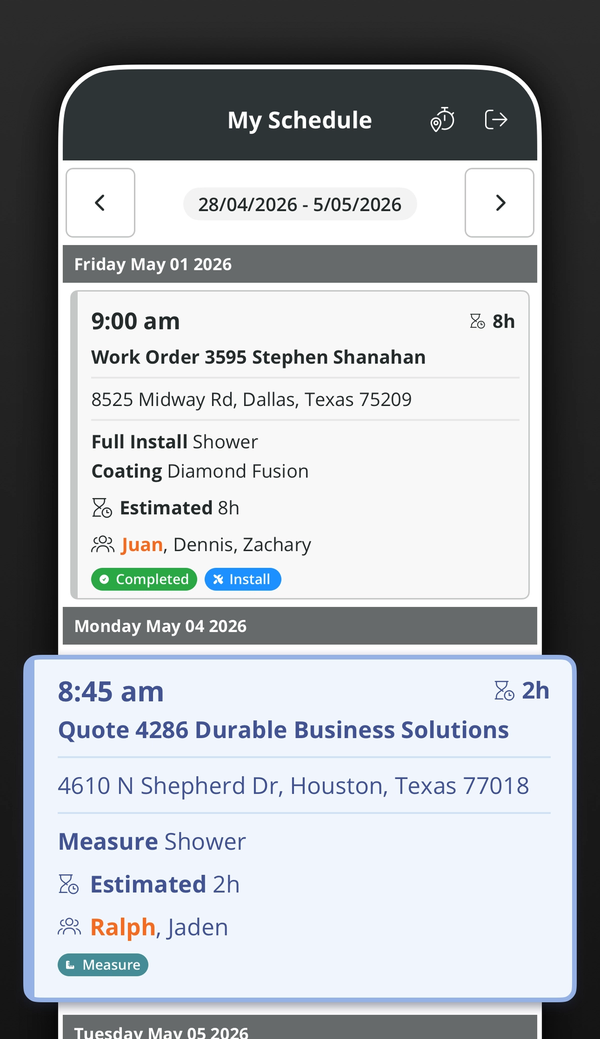
Start the day knowing where you need to be, what work has been scheduled and who is assigned to each visit.
The app gives field users a clear view of upcoming work without relying on printed schedules, text messages or separate calendar systems.
- View assigned visits and schedules
- See appointment dates and times
- Open customer and site information
- View addresses and assigned team members
- See estimated visit and task durations
- Open the Quote or Work Order connected to the visit
- Review the work planned for each appointment
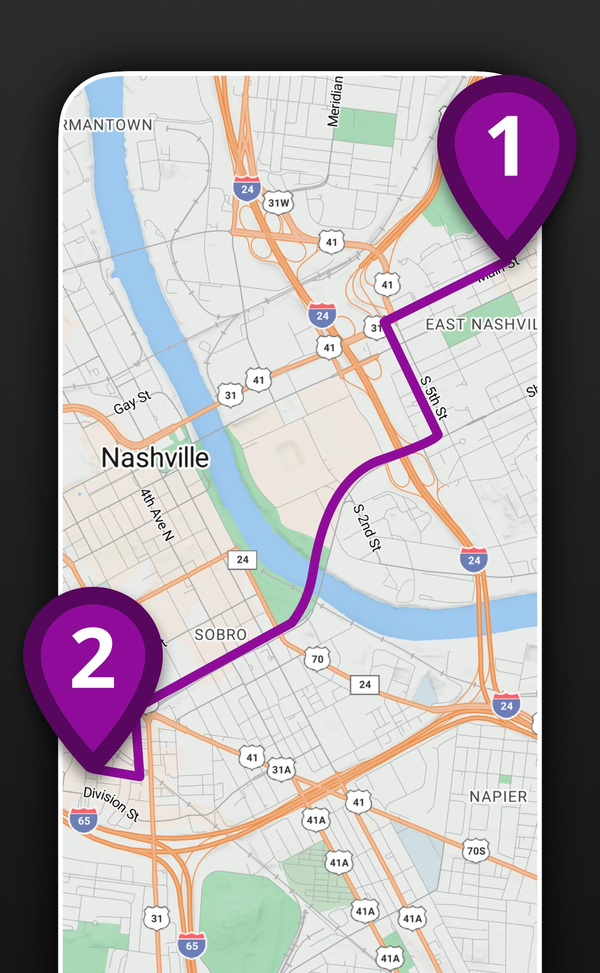
Get to each job with maps and route information
Open location and route information directly from the visit so your team can spend less time searching for addresses and more time completing work.
- Open the job-site location from the visit
- View scheduled work on a map
- Help teams move efficiently between jobs
- Access maps and route information in one place, without opening a separate app
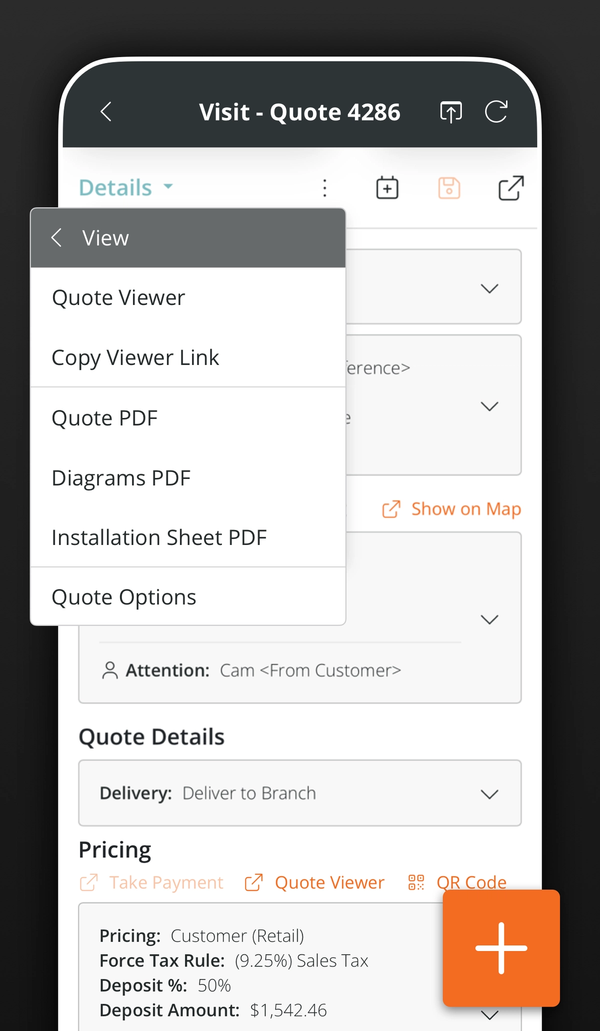
Access quotes, diagrams, and installation info
Give installers the information they need before and during the job, without asking the office to resend files or search through old emails.
Field users can open, create, and update information connected to the visit or job. User permissions determine whether they can view pricing and other sensitive business information.
- Open linked Quotes and Work Orders
- Create a new Quote from the field
- Create and update glass drawings
- Review pricing information when permitted
- View installation sheet PDFs
- Access job files and supporting documents
See exactly what needs to be done
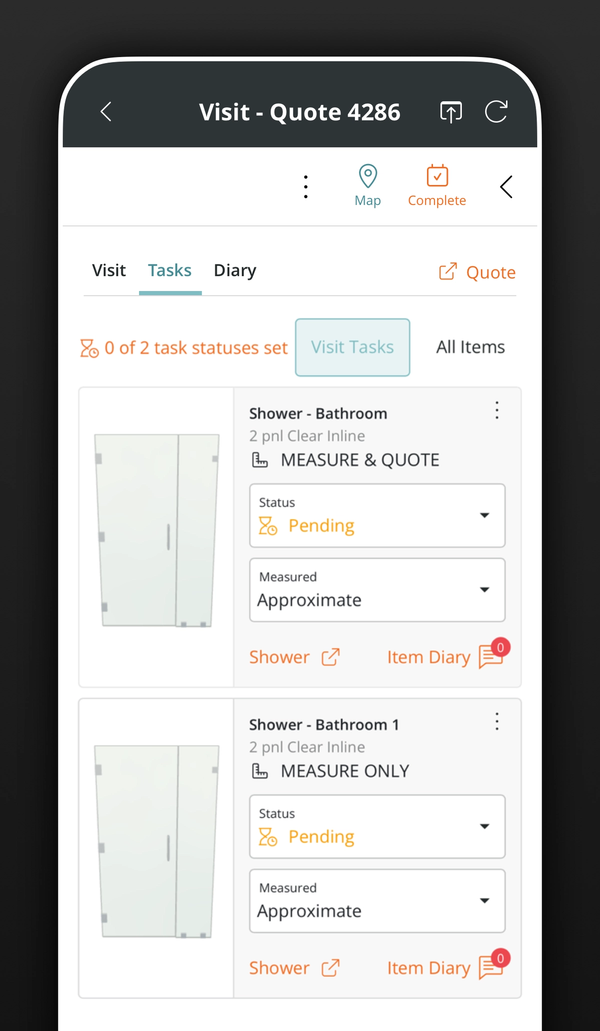
Each visit can contain specific tasks for measuring, installation, service work or follow-up.
Field users can open those tasks, record progress and tell the office what happened while the details are still fresh.
- View tasks assigned to each visit
- See the glass item connected to the task
- Record whether measurements are accurate or approximate
- Mark tasks as completed, partially completed or unsuccessful
- Add comments or reasons when work cannot be completed
- Show the office what needs to happen next
- Keep task and visit progress current
Record field time more accurately
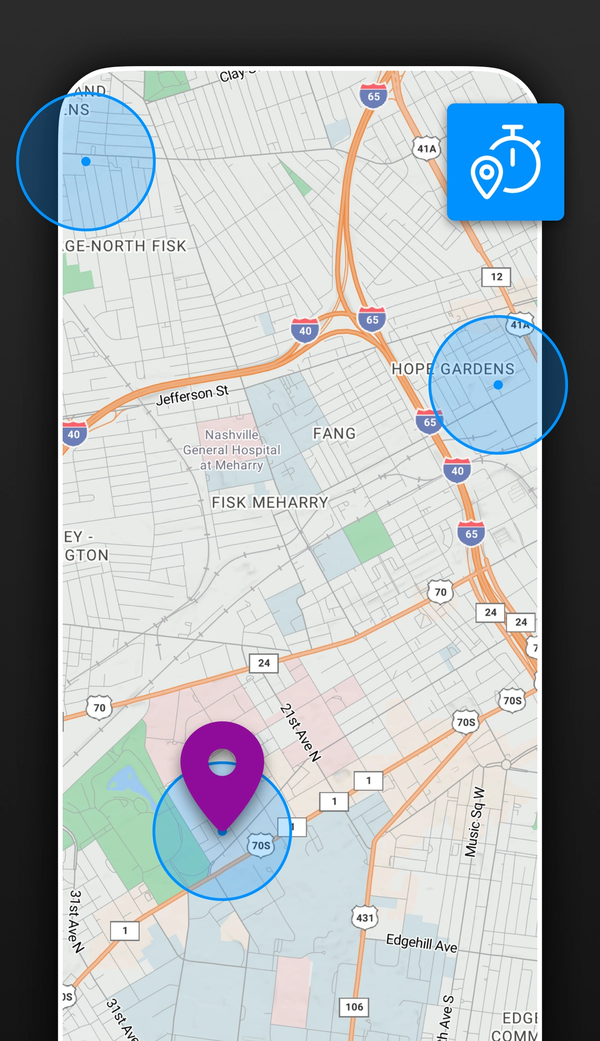
Help reduce manual time entry by allowing field users to clock in against their assigned work.
Optional location features can provide additional support for time recording and visit coordination when enabled by the business.
- Clock in for assigned visits and tasks
- Record time against field work
- Use job-site location information
- Support more accurate visit records
- Use optional automatic clock-in through geofencing
- Help managers understand time spent on field work
Location tracking and geofencing are optional. They depend on your business settings, Field user permissions and the location permissions enabled on the mobile device.
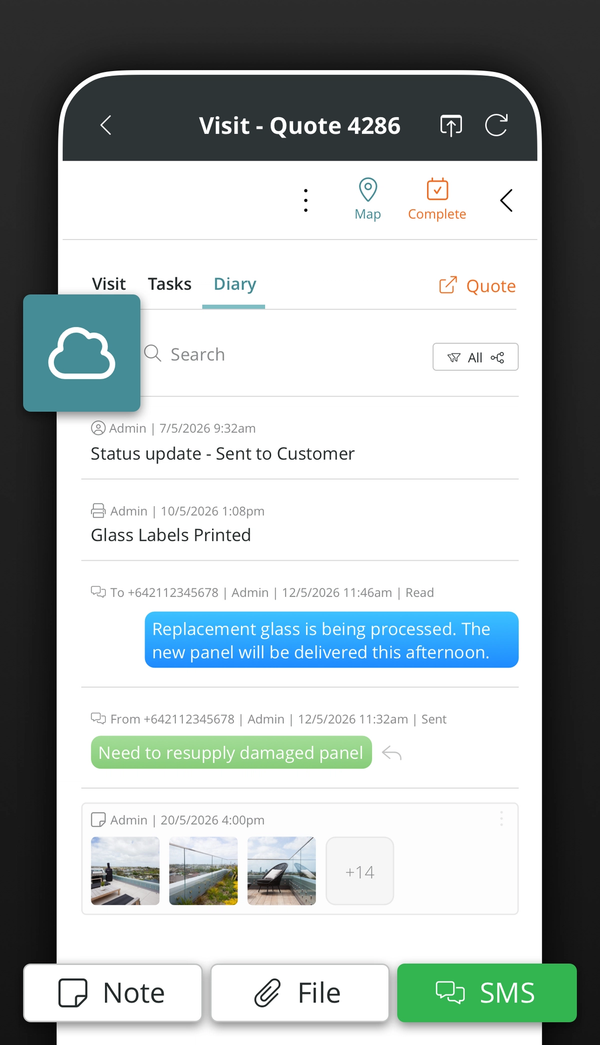
Send clear updates back to the office
Capture information while your team is still on site and keep it attached to the correct job.
This creates a more complete record for office staff, managers and anyone who needs to follow up after the visit.
- Add diary notes from the job site
- Take and upload photos
- Tag photos for easier organization
- Upload job files and attachments
- Record site conditions and customer requests
- Add follow-up information
- Send SMS messages linked to the visit or job
- Keep office staff updated as work happens
Keep the office and field aligned
Updates made in the Smart Glazier App connect directly to Smart Glazier Business.
There is no separate field database to maintain and no need to manually transfer information from one system to another.
- Access visits created by the office
- Open connected customer and job information
- Send task updates back to Smart Glazier Business
- Keep diary entries and files attached to the correct record
- Give the office a more current view of field progress
- Use one connected system from quoting through to installation
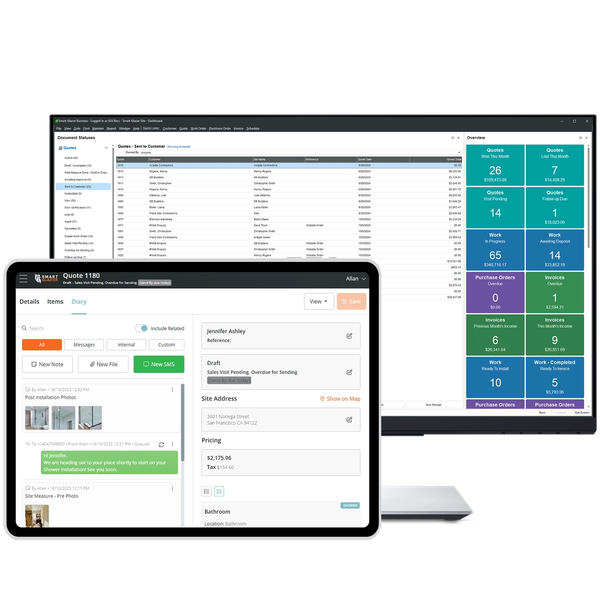
Take Smart Glazier Business into the field
Download the Smart Glazier App and give your field team direct access to their visits, tasks, documents and job updates.
Frequently Asked Questions
The Smart Glazier App is the mobile companion for Smart Glazier Business. It helps installers and field teams manage visits, view assigned work, access job information, complete tasks and send updates back to the office.
The Smart Glazier App is designed for glaziers, glass installers, measurers, service technicians, supervisors, managers, and other team members who work away from the office.
It gives field staff access to their assigned visits, tasks, job information, quotes, diagrams, installation documents, and job updates from their mobile device.
Glass installers can use the app to:
- View assigned visits and schedules
- Open customer, job, Quote, and Work Order information
- Access diagrams, PDFs, installation sheets, and job files
- Complete visit tasks and record outcomes
- Add measurements, notes, photos, and attachments
- Clock in and record time
- Open maps and route information
- Send job-related updates back to the office
- Open the full browser version of Smart Glazier Field when more functionality is required
Available features depend on your Smart Glazier Business setup and the permissions assigned to your Field user account.
Yes. The app connects directly to Smart Glazier Business, so updates entered in the field are reflected in the office system.
This includes visit progress, task outcomes, diary notes, photos, files, time records, and other job updates. An internet connection is required for information to sync reliably.
Take Smart Glazier Business into the field